


Neo Cyber Piano
4.08.00 Reviews
App Specs
- Version
- 1.2.5
- Updated On
- License
- Free
- Downloads
- 1,000,000+
- Developer
- MayaGameStudio
- Categories
- Music
- Platform
- Android
Screenshots

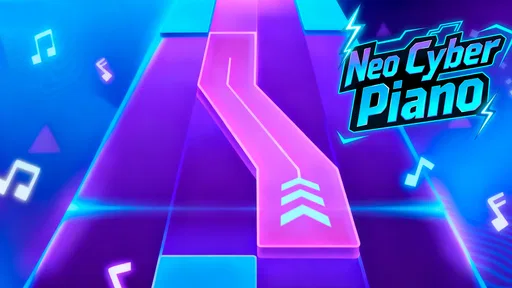
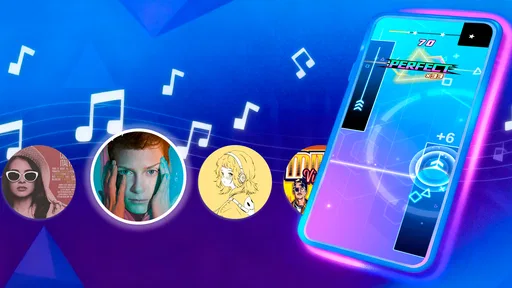
 Analysis by AppCompare
I approach a mobile piano game differently from a lesson app: I want to know whether it feels responsive in a spare moment, whether its look and sound make me want to return, and whether the experience suits a phone or tablet rather than a real keyboard. Neo Cyber Piano has a clear identity as a music game, with a futuristic piano theme at its center. I’d consider it for a quick musical break or casual play, rather than assume it will replace structured practice or a full piano-learning course.
That distinction matters because a piano-themed game can be enjoyable without teaching transferable technique. If you’re deciding whether to install it, the useful question is what kind of interaction you want: a stylized way to spend a few minutes with music, or a guided route toward playing piano away from the screen. I’d start with the first expectation and judge the game on how well it delivers that experience.
What to expect from a quick session
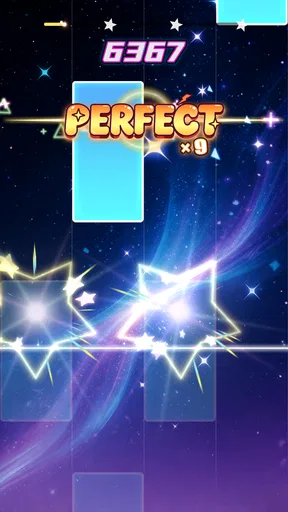
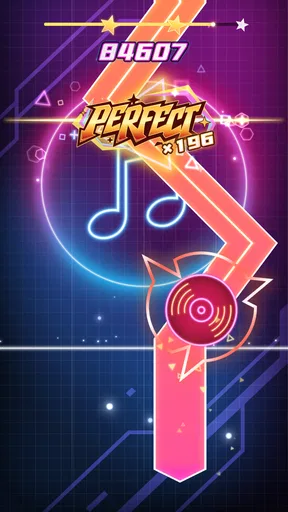
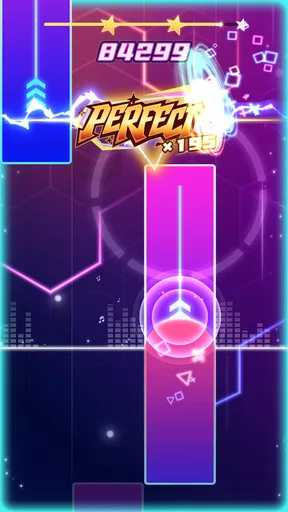
The game’s neon cyber identity suggests an experience built around atmosphere as much as notes. In a short session, that kind of strong visual direction can make a simple music game feel more inviting than a plain virtual keyboard. It is a natural fit for someone who likes music games and wants something with a more electronic, futuristic mood than a traditional piano simulator.
For everyday use, I’d treat it as a small activity between other tasks: open it when you have a few minutes, play for the enjoyment of the interaction, then put it away. That is a more realistic expectation than sitting down with it as if it were a complete piano course. If you want a game first and a lesson second, this framing should help you decide whether its style appeals to you.
How it fits beside other music apps
Compared with a piano-learning app, a music game usually puts immediate engagement ahead of a carefully staged curriculum. Compared with a general rhythm game, a piano-centered presentation may feel more suited to players drawn to keyboard sounds and the look of an electronic piano. Those are different goals, so the better choice depends on whether you want playful interaction, instrument practice, or rhythm challenges.
I would not choose this game as my only tool for learning piano. A dedicated course or lessons with a real instrument are a better fit if you need a clear progression, feedback on technique, or help building habits that carry over to an acoustic or digital piano. The game makes more sense as a low-pressure option for music fans who want a themed diversion, not as a shortcut to musicianship.
A practical way to try it
On a typical busy day, I’d use a short break to see whether the neon presentation and piano focus keep me interested beyond the first few minutes. I’d also pay attention to whether the controls feel comfortable on my particular screen and whether the game remains enjoyable when I play casually rather than concentrating hard. Those checks tell you more about personal fit than the theme alone.
Worth Reading Before You Choose

EA SPORTS FC Mobile 26 Is a Bigger Football Game, but It Takes Time

Flipboard Shows What News Apps Must Do Beyond the Feed

Switching to Android Auto Means Rethinking Your Driving Routine

Google Calendar Makes a Crowded Week Easier to Manage

Ludo King Makes the Most of the Minutes Between Plans

Baby Panda World Brings Quick Play to Modern Phones, but Its Game Library Feels Busy
If you are installing it for a younger player, the Everyone content rating is reassuring as a broad content classification, though I’d still make the usual choice about screen time and in-app spending. The game is free to download, with optional in-app purchases priced from $7.99 to $12.99 per item. I’d try the free experience first and only consider a purchase if you already know you enjoy returning to it.
Speed, stability, and device expectations
I would avoid judging a music game by its visual effects alone. What matters during play is whether input feels dependable on your device and whether the presentation stays comfortable over a longer session. The game’s current version is 1.2.5, and it requires Android 6.0 or later. That gives Android users a straightforward compatibility check before installing.
For the smoothest experience, I’d close other demanding apps if the device is older or already struggling, then try a brief session before settling in for longer play. That is a sensible general precaution for mobile games, not a claim that this one needs unusual resources. If performance feels inconsistent, restarting the game and checking that the device has enough free working capacity are reasonable first steps; I wouldn’t assume that a problem means the game is unsuitable for every phone.
Who will enjoy it—and who may not
I can see this being a good match for someone who likes piano-themed games, wants a visually distinctive music break, and does not need every session to produce measurable practice progress. It may also suit a casual player looking for a free starting point before deciding whether the game’s style is worth spending more time with.
It is less suitable if you are specifically searching for notation lessons, a structured beginner syllabus, or detailed coaching for hand position and technique. A physical keyboard and a dedicated learning resource will serve those goals better. Likewise, if you prefer a calm, traditional piano interface, the futuristic presentation may be more style than you want.
When comparing options, I’d make the choice by purpose rather than by assuming one music app can do everything. Choose a lesson-focused tool for deliberate skill-building, a rhythm game for timing challenges, or this piano-themed game if its cyber look and casual music-play angle are what draw you in. That simple distinction can prevent disappointment and help you find the kind of musical downtime you actually want.
There is also a practical trade-off in trying a free game with optional purchases: you can explore the experience without paying up front, but it is worth deciding your own spending limit before browsing purchase options. I’d keep the first few sessions focused on whether I enjoy the core play, rather than treating paid items as necessary before I know whether the game fits my routine.
Ever thought about taking your piano skills to the next level with a futuristic twist? Well, let me introduce you to Neo Cyber Piano, an app that’s sure to revolutionize the way you play and learn piano. Whether you’re a total beginner or someone who’s been tickling the ivories for years, this app has something for everyone. I’ve spent some quality time with it, and here’s my breakdown.
The Interface: A Futuristic Playground
When I first opened Neo Cyber Piano, I was immediately struck by its sleek and modern design. The interface is intuitive, with a cool, cyberpunk aesthetic that makes you feel like you’re in a sci-fi movie. Navigation is a breeze, and everything is where you’d expect it to be. If you’re someone who appreciates good design, you’re going to love this.
What I found particularly neat is the app’s ability to customize the look to fit your mood. You can switch between different themes, each with its own unique vibe. It’s like having multiple apps in one, and it keeps things fresh.
Learning Made Easy
One of the standout features of Neo Cyber Piano is its comprehensive learning modules. If you’ve ever struggled with traditional piano lessons, this app might just be your savior. It breaks down complex pieces into manageable chunks, making it easier for anyone to learn.
The app offers a variety of tutorials that cater to different skill levels. For beginners, there are simple exercises and songs to get you started. As you advance, you can tackle more challenging pieces. What’s cool is the real-time feedback feature. It listens to your playing and provides instant corrections, which is super helpful for improving your technique.
Play Along with the Band
One of my favorite features is the play-along mode. You can choose from a library of songs and play alongside a virtual band. It’s like having your own personal jam session, and it’s incredibly fun. Whether you’re into classical, jazz, or pop, there’s something for everyone.
The app also allows you to record your sessions. I found this particularly useful for tracking my progress over time. Plus, it’s a great way to share your music with friends or on social media.
Advanced Features for the Tech-Savvy
For those who love to geek out on techy features, Neo Cyber Piano doesn’t disappoint. The app integrates seamlessly with MIDI keyboards, which means you can connect your external gear and use the app as a high-tech virtual instrument. The sound quality is fantastic, and the latency is minimal, making it a joy to play.
There’s also a community feature where you can connect with other users. It’s a great way to share tips, challenges, and even collaborate on music projects. Being part of a community makes the learning process much more engaging and enjoyable.
Wrapping It Up
In conclusion, Neo Cyber Piano is a game-changer for anyone looking to learn or improve their piano skills. With its user-friendly interface, extensive learning modules, and fun features, it’s an app that caters to both beginners and seasoned players alike. The added bonus of a vibrant community and advanced tech features makes it a standout choice in the world of music apps.
If you’re ready to dive into the future of piano playing, give Neo Cyber Piano a try. Trust me, you won’t be disappointed. Happy playing!
For a music game, perceived responsiveness matters more than a long feature list. I’d test it first in a quiet moment, using the same device and grip I expect to use regularly. If taps feel comfortable and the visual pace is easy to follow, that is a better sign of fit than simply liking the artwork. On a smaller phone, fingers can cover more of the screen; a larger display may feel easier for longer sessions, though it is less convenient to carry.
Making a session work in real life
A useful routine is to treat play as a short reset rather than a commitment: take a break after work, try a few rounds, and stop while it still feels fun. That keeps the game from competing with a practice plan you may already have. If you do own a keyboard, you can separate goals: use this game for casual entertainment and reserve the instrument for focused practice, where posture, timing, and touch matter in a different way.
For younger players, I’d also set expectations before handing over a device. The Everyone rating describes the content classification, not whether every child will find the controls or pacing suitable. Since optional purchases are available, a parent may want to review the device’s purchase settings and agree on boundaries in advance. That is a practical safeguard for any free-to-start mobile game, rather than a judgment about this one in particular.
What I would check before settling in
Before a longer session, I’d make sure the device is not already overloaded with background activity and that the screen is comfortable to look at. If the game feels sluggish, I’d close unused apps and relaunch it before drawing conclusions. A brief restart can also be a sensible recovery step if a session stops responding, but I wouldn’t expect it to solve every device or connection issue.
Neo Cyber Piano has reached more than a million installs and holds an average rating of 4.0 from 448 ratings, which suggests it has found an audience while leaving room for mixed experiences. MayaGameStudio is the developer, and the game was released on November 21, 2025. Those details help place it as a current mobile title, but they do not tell me whether its particular feel will suit your hands or your taste; a quick personal trial is still the most useful test.
My performance verdict
My practical verdict is to approach it as a themed music game whose appeal rests on whether its presentation and interaction click for you. I would not promise a certain frame rate, low battery use, or identical stability on every device. Hardware, background load, and how long you play can all affect a mobile experience, so I’d begin with a short session and judge the actual result on your phone or tablet.
If you want structured instruction, look elsewhere or pair this with a dedicated learning method. If you want an accessible, piano-flavored game to dip into and enjoy for its futuristic mood, it is a reasonable free option to try. I’d keep the distinction clear: its strongest case is casual musical entertainment, while real-world piano progress calls for deliberate practice beyond a mobile game.
Pros
- Intuitive interface for beginners.
- Wide range of sound effects.
- Customizable keyboard layout.
- Offline mode available.
- Supports MIDI connections.
Cons
- Limited free version features.
- Occasional lag on older devices.
- Ads in the free version.
- High memory usage.
- Requires frequent updates.
FAQs for Neo Cyber Piano
What is Neo Cyber Piano, and what are its main features?
Neo Cyber Piano is a cutting-edge music app that transforms your device into a futuristic piano. It offers a sleek interface, customizable sound settings, and a variety of interactive lessons for beginners and advanced users alike. The app also includes a vast library of songs, dynamic lighting effects, and multiplayer mode to jam with friends.
Is Neo Cyber Piano suitable for beginners?
Yes, Neo Cyber Piano is perfect for beginners. It offers step-by-step tutorials and interactive lessons designed to teach the basics of piano playing. Users can start with easy songs and gradually progress to more challenging pieces. The app’s intuitive design ensures that new users can easily navigate and learn at their own pace.
Does Neo Cyber Piano require an internet connection to function?
Neo Cyber Piano mainly works offline, allowing users to access lessons and play music without an internet connection. However, some features, like downloading new songs or accessing multiplayer mode, require an internet connection. This ensures that you have the flexibility to practice and play wherever you are.
How customizable is the sound and interface in Neo Cyber Piano?
Neo Cyber Piano offers extensive customization options. Users can modify the sound settings to mimic various piano types, such as grand or electric pianos. The interface can also be personalized with different themes and lighting effects. These features allow users to tailor their experience to their preferences, enhancing both performance and enjoyment.
Are there any in-app purchases or subscriptions required in Neo Cyber Piano?
Neo Cyber Piano is free to download and offers a range of features at no cost. However, it does include optional in-app purchases and subscription plans. These can unlock additional songs, advanced lessons, and premium features. While the free version is robust, subscribing can enhance your learning and playing experience significantly.


